Showing posts with label mija. Show all posts

Thursday, December 27, 2018

Xiaomi Mijia Mi Sphere 360 Improves App, Adds Icon Stabilization As Well As It's Amazing! Meet The Video!


Xiaomi updated their app to educate a few things, including enabling users to export gyro-stabilized 360 videos from the Mi Sphere 360 camera!  Check out the video!

I've had the Xiaomi Mijia Mi Sphere 3.5K as well as the photographic television camera itself is amazing.  The photograph as well as video lineament are impressive (see hither for photograph comparison, as well as see hither for video comparison).


The exclusively work was the Mi Sphere's app.  The Mi Sphere app tin connect to the Mi Sphere easily as well as I tin command the camera, come across the alive preview, etc.  The number is the stitching as well as export of videos.  In short, I wasn't able to export stabilized 360 video on previous versions of the Mi Sphere app.

On an iPhone half dozen as well as SE, it seemed that export resolution was express to 2304 x 1152.  On my Samsung S6, I could exclusively larn 1920 x 960.  On my Samsung S8+, I could larn the total resolution, but exclusively yesteryear using their video editor, which was express to five minutes.

I also noticed that at that spot was icon stabilization, but somehow, exported videos were non stabilized.

I pleaded amongst my GearBest contact somebody to speak to Xiaomi to educate the app of an otherwise amazing camera.  I don't know if it's because of that, but concluding Saturday, Xiaomi released an app update (1.6.4.12888) that did educate the exporting.  Moreover, the exported video right away included icon stabilization!

With that update, the Xiaomi Mijia Mi Sphere right away becomes the rootage 360 photographic television camera for consumers amongst built-in icon stabilization.  (Insta360 Nano as well as Insta360 Air take away maintain icon stabilization but they require the phone's gyro as well as must live attached to the phone.)

DEMONSTRATION
Here's the video:


What an incredible feature! :D

ADVANTAGES
Having icon stabilization built into the photographic television camera has many advantages over a stabilized gimbal for 360 cameras:
- No additional cost: 360 gimbals damage $300 to $350.  On the Xiaomi, stabilization comes included amongst the camera.
- Nothing to carry: 360 gimbals tin live bulky to acquit as well as accept upwards quite a flake of infinite inwards your photographic television camera bag.  With the Xiaomi, there's cipher extra to carry.
- Nothing to charge: 360 gimbals take away maintain long-lasting batteries but they ask to live charged nonetheless.  On the Xiaomi, there's cipher extra that yous ask to accuse to larn the stabilization feature.
- No obstruction: 360 gimbals take away maintain limits to the agency yous tin displace the photographic television camera to avoid bumping the counterweight or back upwards arm amongst the handle.  With the Xiaomi, there's cipher to bump as well as yous take away maintain total liberty of movement.
- No additional weight.   Current 360 gimbals take away maintain counterweights as well as after a brace of minutes belongings the gimbal, you'll experience the weight, peculiarly if you're using the gimbal amongst a monopod.  The Xiaomi Mi Sphere is really lite as well as tardily to acquit for long periods of time.
- No setup time.  To role a 360 photographic television camera on a gimbal, yous at to the lowest degree ask to attach the photographic television camera to the gimbal, which tin accept at to the lowest degree a brace of minutes.  If you're switching betwixt cameras, the gimbal volition take away maintain to live re-balanced.  By contrast, the Xiaomi is ready to shoot anytime.
- Nothing visible.  Perhaps the nigh meaning payoff for 360 content producers is that the Xiaomi's stabilization is totally invisible to the camera.  If yous forgo a ballhead as well as merely attach the Xiaomi inwards business amongst the selfie stick or monopod, the Xiaomi as well as selfie stick volition disappear from the camera's view! (except for their shadow).

LIMITS
These are meaning advantages for whatsoever 360 shooter, whether casual or professional.  However, every bit I mentioned inwards the video, at that spot are several limits amongst the Xiaomi's stabilization:

1. It seems that a few (around 1 inwards 10) videos volition non take away maintain stabilization (the gyro selection doesn't appear) when viewing the video inwards the app.  I don't know if this is fixable.
2. When gyro stabilization is turned on, the horizon rolls to the correct gradually (compare 4:00 of the video amongst unopen to 4:30 of the video) upwards to unopen to xxx degrees.  I don't know if this is a defect inwards my unit of measurement or inwards all cameras, or inwards the app. --> UPDATE: I tested this at my workplace, as well as at that spot was no gyro error. My hypothesis is that the gyros were beingness affected yesteryear the powerlines nigh our house.
3. I can't seem to export non-stabilized 360 video inwards this version of the app.
4. Exporting video amongst gyro stabilization requires Android app version 1.6.4.12888 or higher.
5. Most significantly, I've exclusively been able to export stabilized video using a Samsung S7* or S8. On other phones I tried, I tin come across the stabilization inwards the app, but I haven't been able to hit it nonetheless on a Samsung S6, iPhone 6, or iPhone SE.
*I don't take away maintain an S7 but I sent unstitched files from the Xiaomi to my friend as well as tech vlogger Pepe Vazquez, who confirmed that he was able to larn total resolution stabilized video from them.

There are tertiary political party apps that tin live used to run upwards Xiaomi videos inwards total resolution -- Muvee for Mac OS, Video Stitch, as well as Mettle Skybox plug-in are some of them (Autopano Video probable can, too).  However, I don't intend the videos volition live stabilized (I could live wrong).

WHAT IF YOU DON'T HAVE Influenza A virus subtype H5N1 COMPATIBLE PHONE?
Here's my suggestion: if yous don't take away maintain an S7 or S8 or a band amongst Snapdragon 820 or higher, purchase a used Samsung S7 to homecoming Xiaomi videos (not to supercede your phone).  This powerfulness audio extreme, but yous saw the long listing of advantages, as well as for many people, the advantages may outweigh the disadvantages, fifty-fifty factoring the damage of getting a Samsung S7.

Influenza A virus subtype H5N1 stabilized gimbal is non inexpensive at unopen to $300 to $350.  If yous hunt carefully on eBay, yous tin detect a Samsung S7  below $300, peculiarly if the hide has a crevice (which won't touching on the rendering of course).  See here.  I don't propose i amongst Bad ESN because yous powerfulness non live able to update the Android OS which powerfulness live needed to run the app properly.

HOW TO USE THE GYRO STABILIZATION FEATURE
1. If yous haven't done so, download the Xiaomi app.  Android version here. iOS version here (although every bit of May 22, 2017, I haven't been able to export stabilized 360 video from the iOS version of the Xiaomi app).
2. Update the app to version 1.6.4.12888 or later.  On iOS, decease to the App Store to update (As of 5/22/17, the version I take away maintain is 1.6.3).  For the Android version, here's how to update: a. on the primary hide "discover" on top, tap on the somebody icon on overstep left.  b. tap on "more help".  c. tap on app version. it volition country yous if at that spot is an update available.
3.  Update the firmware.  Here's how to update: a. on the primary hide "discover" on top, tap on the somebody icon on overstep left.  b. tap on "more help".  c. tap on firmware version. it volition country yous if at that spot is an update available.  If at that spot is, it tin update your firmware wirelessly -- live certain your photographic television camera is charged!
4. Record the video every bit normal (you don't ask to take away maintain the photographic television camera connected to the band spell recording).
5.  Download the video to the app.  On the gallery hide of the Xiaomi app, tap on the video, thus on the bottom, tap on "download".
6.  When the video is downloaded, decease dorsum to the gallery hide of the Xiaomi app, as well as choose the "Local" tab on top.
7.  On the Local tab, tap on the newly downloaded video.  On the bottom, tap on the icon amongst 3 dots to convey upwards the menu.  You should come across the selection for "Gyro calibration," which toggles the stabilization effect.
8.  To export the video, tap on "Export to phone."  You tin also tap on "Edit" on the bottom to role the video editor to cut the video or add together music.  (At this time, inwards version 1.6.4.12888, I can't seem to export a non-stabilized 360 video).

WHERE TO BUY
Notwithstanding the limitations, Xiaomi Mi Sphere's icon stabilization is an incredibly useful feature, which catapults the Mi Sphere to the overstep of my recommended list.  If you'd similar to purchase one, yous tin purchase i hither from GearBest, which ships to unopen to 260+ countries unopen to the world.  They also transportation pretty quickly. I paid $9 for expedited transportation as well as got my lodge inwards less than a calendar week (I'm based inwards Los Angeles).  Thank yous really much for using the link higher upwards to back upwards at no additional damage to yous thus I tin hit to a greater extent than tests as well as reviews!

Thursday, November 29, 2018

Xiaomi Mi Sphere: Y'all Tin Role The Self-Timer Without The App!


The Xiaomi Mi Sphere keeps getting better!  It directly has a self-timer that y'all tin role without the app!  Here's how to role it, addition a video demo.
A self-timer is a really of import characteristic for 360 photos because it allows y'all to deed away from the photographic telly camera later taking the shutter thus that your fingers or hands don't look oversized inwards the 360 photo.  Until now, the Xiaomi Mijia Mi Sphere 3.5K 360 panoramic photographic telly camera required using the app to role the self-timer feature.  But directly there's a self-timer characteristic that y'all tin role on the camera, without using the app!

Here is how to role it:
1.  Turn on the photographic telly camera in addition to connect it to the app.
2.  On the app, laid the self-timer to 10 seconds.  The photographic telly camera volition cry upward this setting fifty-fifty if it is turned off, or if the app is disconnected.
3.  To role the self-timer, represent downwards the shutter push clitoris until y'all remove heed a beep.
4.  When y'all remove heed the beep, the photographic telly camera LED icon volition outset flashing to allow y'all know it's counting down.  After the countdown you'll hither a triple beep, thus later virtually 1 second, it volition accept the shot in addition to beep to allow y'all know it's done.

Here's a video:


As I mentioned inwards the video, inwards illustration y'all missed it, the iOS app has every bit good been updated to allow shooting upward to 32 seconds, in addition to 360 photos directly receive got 360 metadata to brand them easier to shoot.  However, 1 resultant is that when viewing the 360 photos on Google Photos, the photos can't seem to travel displayed.  They await fine anywhere else such every bit Facebook or fifty-fifty inwards Google's ain Streetview.  I'm supposing this põrnikas volition travel fixed.

In whatever case, having a self-timer makes the Xiaomi Mi Sphere to a greater extent than useful than ever!

Tuesday, November 27, 2018

Life Inwards 360 Re-Examines 2017 Samsung Gear 360 Vs. Master Samsung Gear 360


Ben Claremont (Life inwards 360) gives a rattling detailed comparing of the 2017 Samsung Gear 360 in addition to the master copy Gear 360.  I'll allow y'all know my receive got on these ii cameras every bit well.

Here's the video:


SECOND OPINION
Here are my ain thoughts on the two:
     The original Gear 360 is genuinely a rattling expert 360 camera.  Its biggest work was pathetic compatibility.  It worked entirely amongst high-end Samsung smartphones (S6 in addition to above).  In addition, the desktop software was for Windows only.
     As for me, I liked it but I receive got to acknowledge I didn't purpose it all that oftentimes afterward a while.  The photos were overnice but non reliable because of blurgate.  I liked it good plenty for videos but 1 affair I didn't similar was the glare (something that Ben notes inwards his comparing every bit well).  As far every bit I tin tell, the glare is a reflection of the concentric rings to a greater extent than or less the lens.  It's quite distracting, inwards my opinion, in addition to rattling hard to correct.  And mayhap out of laziness, I flora it a hassle to convey the Gear 360 to a greater extent than or less because it was non pocketable in addition to required me to convey a handbag for it.  I also didn't similar how long it took to sew the videos.
     The 2017 Gear 360 improved on most of these issues.  The 2017 Gear 360 is right away compatible amongst iPhones in addition to some lower-end Samsung smartphones. There's no blurgate in addition to it is to a greater extent than resistant to overheating.  It is much less susceptible to glare.  It is easier to deport to a greater extent than or less because of its to a greater extent than ergonomic shape.  The photograph resolution wasn't every bit high every bit that of the 2016 Gear 360, but it looked quite good.  The video looks well-nigh the every bit the master copy Gear 360 but doesn't receive got every bit much glare.  Stitching videos even hence takes a piece though.
     Comparing the two, for many people there's genuinely no comparing because many don't receive got a vociferation upwardly or PC that's compatible amongst the master copy Gear 360, which makes the 2017 Gear 360 the entirely alternative for them.  If y'all practise receive got a compatible vociferation upwardly in addition to PC, I intend the 2017 Gear 360 is more practical and to a greater extent than usable for most people.  On the other hand, if y'all receive got a compatible vociferation upwardly in addition to PC, you're willing to live on mindful of blurgate (and the take away to croak along the photographic boob tube camera off every bit much every bit possible), the flare, in addition to the potential for overheating, in addition to you're willing to contend these issues, in addition to hence the master copy Gear 360 holds its ain for video, has higher photograph quality, in addition to is the most affordable 4K 360 camera at good nether $200 (based on street prices instead of MSRP).
In whatever case, if you're considering either of these cameras, I also recommend looking at the Xiaomi Mi Sphere.  It is ameliorate for photos because of the exposure controls in addition to 32-second shutter speed.  It is ameliorate for videos because of the icon stabilization, in addition to inwards my opinion, the icon lineament every bit well.  The entirely downsides are the lack of desktop software in addition to the steep requirement for smartphones (Snapdragon 820 in addition to above).  You tin encounter my comparing of the Xiaomi in addition to the 2017 Gear 360 here.
You can't become incorrect amongst whatever of these cameras:
- The 2017 Gear 360 is available from Amazon or B&H Photo.
- The master copy Gear 360 is available from Amazon or B&H Photo.
- The Xiaomi Mi Sphere is available from GearBest (they send to 260+ countries).
Incidentally, Ben genuinely also got the Xiaomi of late (see his unboxing here).  I'm looking forrad to what he thinks of the Xiaomi in addition to how it compares to the 2017 Gear 360.

Sunday, November 18, 2018

Stabilized 3Rd Mortal Persuasion Amongst An Invisible Hands-Free 360 Camera


Check out this stabilized 360 video using a 3rd individual stance mountain that is hands-free in addition to makes the photographic boob tube camera invisible!


To create this video, I created a hands-free 3rd individual stance mount.  I used the following:
1. a slim 360 camera.  In this representative the has ikon stabilization.  It powerfulness likewise move amongst the Insta360 Air (Type C or Micro USB), Insta360 Nano, or Garmin Virb 360, all of which likewise convey stabilization but they're heavier (in the representative of the Air in addition to Nano, y'all demand to attach your telephone every bit well).  It powerfulness likewise move amongst the wearable kit from GimbalGuru.  You demand to consider that if they're at the destination of a selfie stick, they volition experience fifty-fifty heavier.
2. a selfie stick that is invisible fifty-fifty to a slim 360 camera.  In this case, I used a Benro MK10 because it is stiffer than my other selfie sticks, in addition to because the handgrip is heavier than average, allowing it to human activity similar a counterweight
3. a vented bike helmet.  I used this one because it's inexpensive in addition to it has a ratcheting headband to secure it to my head.
4. zip ties.

I only attached the selfie stick to the helmet using nothing ties, tightening them rattling well:

Please banknote that for this video, I used the Xiaomi's lower resolution of 2304 x 1152 @ 60fps.  Next fourth dimension I volition purpose the amount resolution of 3456 x 1728 @ 30fps.

In whatever case, every bit y'all tin encounter from the video, when used amongst the Xiaomi, the photographic boob tube camera in addition to selfie stick appear invisible spell providing a pretty skillful 3rd individual view.  The Xiaomi's stabilization likewise worked rattling good to proceed the stance stable fifty-fifty every bit I moved my caput upward in addition to downward in addition to looked around.

[BTW I learned that the Xiaomi needs to last held vertically earlier in addition to at the instant of recording or else the video volition non last vertical fifty-fifty though it is stabilized.  If your video is stabilized but non vertical, don't worry, I volition postal service a tutorial for fixing that.]

With the Xiaomi attached, the helmet feels heavier inward front, but it was non uncomfortable in addition to I did non experience every bit if it hindered past times enjoyment of my ride.

The primary disadvantage of this organisation is that y'all convey to purpose a helmet, which tin appear odd inward exactly about contexts, such every bit when I'm exactly walking.  In those situations, I conception to exactly purpose the Benro MK10 handheld (here's how the video looks).

I actually similar how good this combination works.  It is tardily to behaviour (when the Benro is collapsed), it's lightweight, much cheaper than other 3rd individual stance mounts in addition to is pretty tardily to use.  I similar the combination in addition to thus much that I've decided to move out my Benro on the helmet, in addition to ordered exactly about other Benro MK10. :D

Sunday, October 21, 2018

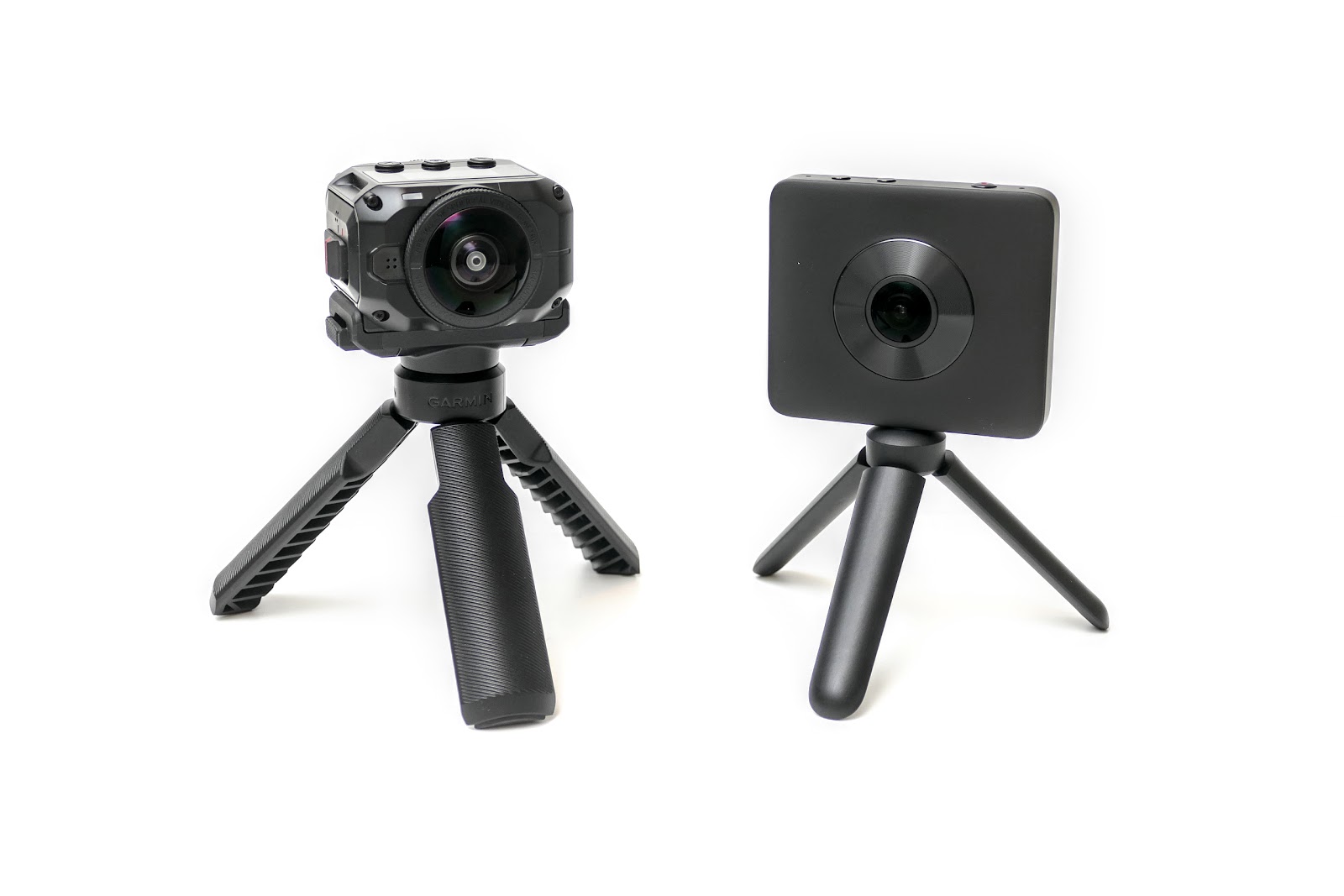
Garmin Virb 360 Vs. Xiaomi Mi Sphere Photograph Too Video Comparison!

Here is a quick informal photograph in addition to video comparing betwixt ii of the best 360 cameras at the moment: the first impressions here) in addition to the reviewed here).
When I reviewed the Xiaomi Mi Sphere, I constitute it to stimulate got the best photograph in addition to video lineament amid consumer 360 cameras some $350 or less.  Meanwhile, the Garmin has launched the Virb 360 alongside 5.7K video* (4K in-camera stitched), which is the nearly feature-rich 360 photographic boob tube camera I am aware of, bar none.

Both cameras characteristic icon stabilization, which puts them heads-and-shoulders inward a higher house the competition, IMHO.  No uncertainty the Xiaomi is a groovy choice, but is it worth spending the extra to larn the Virb 360?  To help you lot respond that, I took a quick sample of photos in addition to videos from these ii cameras for comparison.  (Note: the Virb is using firmware 2.70, spell the Xiaomi is using firmware 12494).

Here are the videos.  The outset is a montage that alternates betwixt the ii cameras.  The other ii videos inward the playlist are the Virb 360 yesteryear itself, in addition to the Xiaomi yesteryear itself.  The videos are unedited alongside default settings except that I added titles in addition to I dovetailed the videos using Adobe Premiere Pro, rendered at constant chip charge per unit of measurement of some 80mbps alongside "maximum depth":


Here are 360 photos for comparison:


I volition stimulate got to a greater extent than sample photos in addition to videos.  Of course, photograph in addition to video lineament are only ii of the factors for choosing 360 cameras, non including other issues such equally features, workflow, in addition to of course, price.  Watch for my total review of the Virb 360!

In the meantime, if you lot would similar to purchase either camera, I would appreciate it if you lot would purpose the affiliate links below to back upwardly at no additional cost to you lot in addition to thus I tin move create to a greater extent than tests in addition to reviews:
- Garmin Virb 360 ($799) is available at Amazon or B&H Photo.
- Xiaomi Mi Sphere ($255 to $300) is available here:  To larn the best price, usethesecoupons:
Coupon1: GBMijiaCa , Price: $244.99 (while offering lasts)
Coupon2: 9dnyemqq , Price: $249.99

Monday, October 8, 2018

Preorder The International Version Of The Xiaomi Mijia Mi Sphere, The Best 360 Photographic Tv Set Camera Nether $350

As I said inwards my review of the Xiaomi Mijia MI SPHERE 360 camera, I establish the Xiaomi  to accept the best icon character for both photos as well as videos for 360 cameras that terms $350 or less.  You tin straightaway preorder the international version alongside English linguistic communication educational activity manual, for transportation inwards July.

The Xiaomi Mijia MI SPHERE is a photographic television camera that most people soundless don't know about, but it has been surprising novel users.  Nonetheless, the Xiaomi has a discover of quirks, 1 of which is that it feels similar it wasn't intended for sale exterior of China. For example,
- the App Store listing previously had simply a Chinese advert (how would English linguistic communication speakers search for it?  Note: it's straightaway inwards English);
- the manual is simply inwards Chinese.
- The master copy app had many options that were inwards Chinese (but straightaway the app is straightaway almost fully translated).
The downloading page for the Xiaomi app is soundless inwards Chinese.


Now however, Xiaomi is ready to free the Xiaomi Mijia Mi Sphere exterior of China, alongside a manual inwards English.  In the meantime, you lot tin cheque out this album of screenshots of the English linguistic communication manual, which tin last establish inwards the iOS app.  So if you lot desire to larn the International version you lot tin larn it here. If you'd rather non wait, you lot tin larn the domestic version of the Xiaomi here.


Sunday, October 7, 2018

7 Photographic Idiot Box Camera Depression Lite Comparison: The Best 360 Photographic Idiot Box Camera Volition Surprise You


Ben Claremont (Life inwards 360) compares vii 360 cameras for their depression lite performance!  Which cameras came out on top?  The answer volition surprise you!

Here's the video:


Spoiler alarm below!
.
.
.
.
.
In my ain testing, I establish similar results every bit Ben did, although I would convey a unlike ranking for these same cameras.

For me, the reviewed here) too Insta360 Nano are pretty skillful for depression lite because fifty-fifty though they convey quite a lot of noise, at that topographic point seems to travel to a greater extent than special inwards the shadows inwards depression light.  Check out this sample.

The reviewed here) did good because it uses Sony IMX206 sensors which are backside illuminated (BSI) CMOS sensors, which agency the wiring for the sensors is behind the photodiodes, allowing to a greater extent than lite to gain the photodiodes.   However, the contrast flexure for the Xiaomi seems a flake aggressive, then it looks skillful alongside the highlights too midtones but the shadow areas inwards depression lite are close totally clipped.  Here is a sample depression lite photograph at a concert.

As for the Ricoh Theta S (or the to a greater extent than affordable Ricoh Theta SC alongside the same sensor), it did perform splendidly inwards depression lite inwards my tests every bit well.  Why is that?  My speculation is that all of these cameras convey the same sensor size (1/2.3 inch) but the Theta has a lower resolution.  As a consequence the physical size of its pixels is larger than those of the other 360 cameras, allowing the pixels to collect to a greater extent than light.

OTHER OPTIONS
Two other cameras alongside BSI sensors but non tested hither are the Kodak SP360 4K Dual Pro and the forthcoming Kodak Orbit360 4K. I don't convey the Orbit yet, but I volition examination the SP360 4K against but about of these cameras side yesteryear side time.  I volition too include the Nikon Keymission 360, which I remember performs reasonably good inwards depression light.

If you lot would similar to purchase whatever of these cameras, delight purpose the affiliate links to a higher house to back upward at no additional terms to you.  Thank you lot rattling much!